Feishu / Lark (飞书)
Once connected, the AI can use Feishu: messages and chats, docs, sheets, Base, drive, wiki, calendar, meetings and minutes, tasks, mail, approvals, contacts. The overview is at WeCom / Feishu / DingTalk.
Steps
Two steps; the first is needed only once.
- Open Vibe Seller Settings → Integrations and, under WeCom / Feishu / DingTalk, click Connect on the Feishu row. The first time it downloads Feishu's official program (about 14 MB).
-
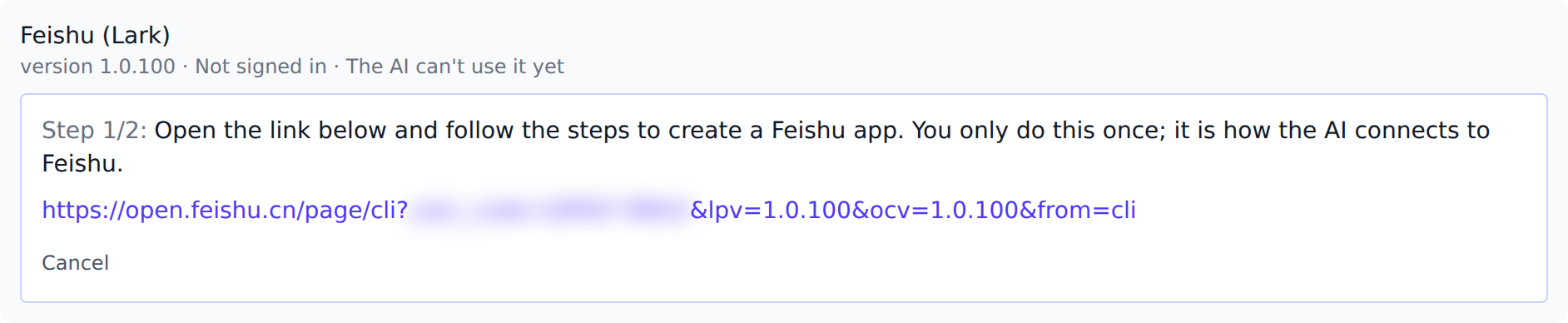
Step 1 of 2: create a Feishu app. A link appears; open it, sign in to Feishu and follow the prompts to create the app. The AI connects to Feishu through it:
-
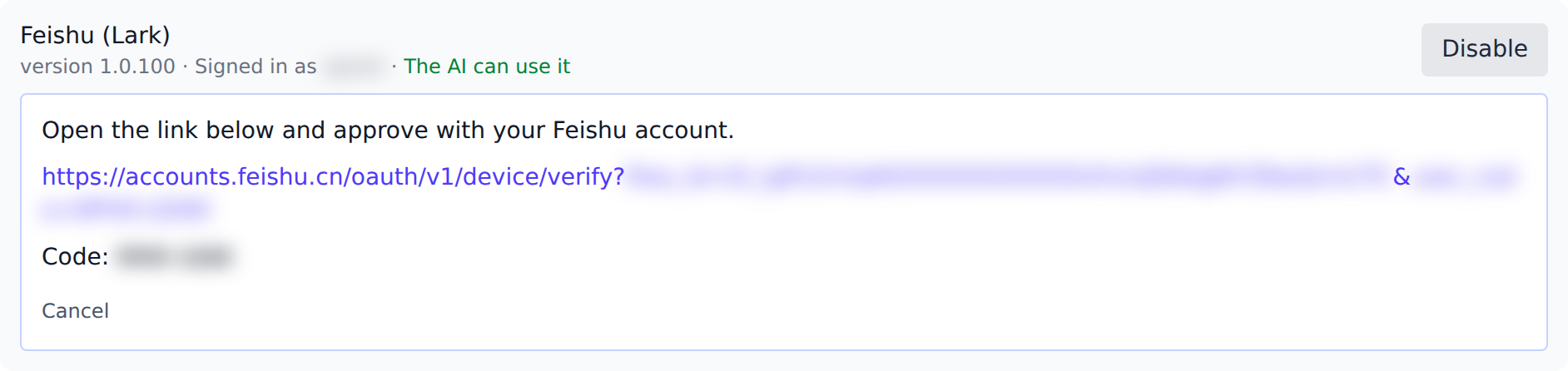
Step 2 of 2: authorize with your Feishu account. Once the app exists, the page shows a second link and a code. Open the link, check the code matches, and approve:
-
Back in Settings, the Feishu row shows "Signed in. Finishing the setup…", then "The AI can use it" a few seconds later. Done.
Two identities
- User identity: acts as the Feishu account that authorized. Your own calendar, mail and documents need it.
- App identity: acts as the Feishu app (bot) created in step 1.
The AI picks the identity as the official skills describe; you don't choose.
Messages: whether the AI can message people as you depends on the
Feishu app's "send messages as user" permission
(im:message.send_as_user):
- Granted: the AI sends messages as you; people see you as the sender.
- Not granted: the AI cannot send as you. It sends as the Feishu app (bot) instead, into the app's chat with you.
To let the AI message people as you, the Feishu app's admin turns it on:
- Open the Feishu developer console and open the app created in step 1.
- Under 开发配置 → 权限管理 (Development → Permissions), click 开通权限
(Add permissions), switch to the user-identity permissions, search for
im:message.send_as_user, tick it and click 确认开通权限 (Confirm). - This permission needs review: under 应用发布 → 版本管理与发布 (App release → Version management), click 创建版本 (Create version), save, then 申请线上发布 (Submit for release), and wait for your Feishu organization's admin to approve.
- Once approved, click Sign in again on the Feishu row in Vibe Seller's Settings.
Feishu's official guide: Apply for API permissions (in Chinese).
FAQ
"Your Feishu admin has restricted these permissions"?
The sign-in worked and Feishu is enabled. Only the permissions listed were restricted by your Feishu organization's admin, so the features that need them won't work yet; nothing else is affected. If you need them, ask your Feishu admin to allow them, then click Sign in again.
"This sign-in can't renew itself"?
The sign-in worked, but Feishu did not issue the credential used to renew it: what the AI does as your Feishu account stops working at the time shown (about 2 hours after signing in), and you have to sign in again; what it does as the Feishu app is not affected. The reason is that the Feishu app has not turned on "Refresh user_access_token" under its security settings in the developer console, or has not published a version since.
To fix it, ask the admin of the Feishu app to open the link in the notice, turn on "Refresh user_access_token", create and publish a new version, then click Sign in again.
The link asks me to sign in to Feishu?
That's expected. Both steps happen on Feishu's web pages: sign in by scanning or with your password first, then follow the prompts.