Feishu / Lark (飞书)
Create the bot in Feishu
- In the group, click More → Settings → Group bots → Add bot at the top right and pick the custom bot.
-
Set avatar, name and description, click Add, copy the Webhook URL and click Done:
https://open.feishu.cn/open-apis/bot/v2/hook/xxxxxxxxA custom bot works in that one group only and needs no admin approval.
-
In the bot's detail page, set up security (you can combine them):
- Custom keyword: up to 10; the message must contain at least one. Put one of them into Vibe Seller's 自定义关键词 (keyword) field.
- Signature check: copy the secret into Vibe Seller's 签名校验 (signature) field — Vibe Seller computes the signature for you.
- IP allowlist: only these IPs / ranges may call the webhook, up to 10 entries. Leave empty for none; in Vibe Seller just tick IP 白名单 (IP whitelist) — nothing to fill in.
Official docs: Custom bot guide
Good to know:
- Rate limit: 100 messages per minute, 5 per second. Around exact hours and half hours the platform is busy and may answer 11232 (throttled) — avoid those moments for important messages.
- The request body must stay under 20 KB.
- Markdown is sent as a card.
- No file sending.
Add it in Vibe Seller
- Open Vibe Seller, go to Settings → Integrations → Chat bots, and click Add Bot;
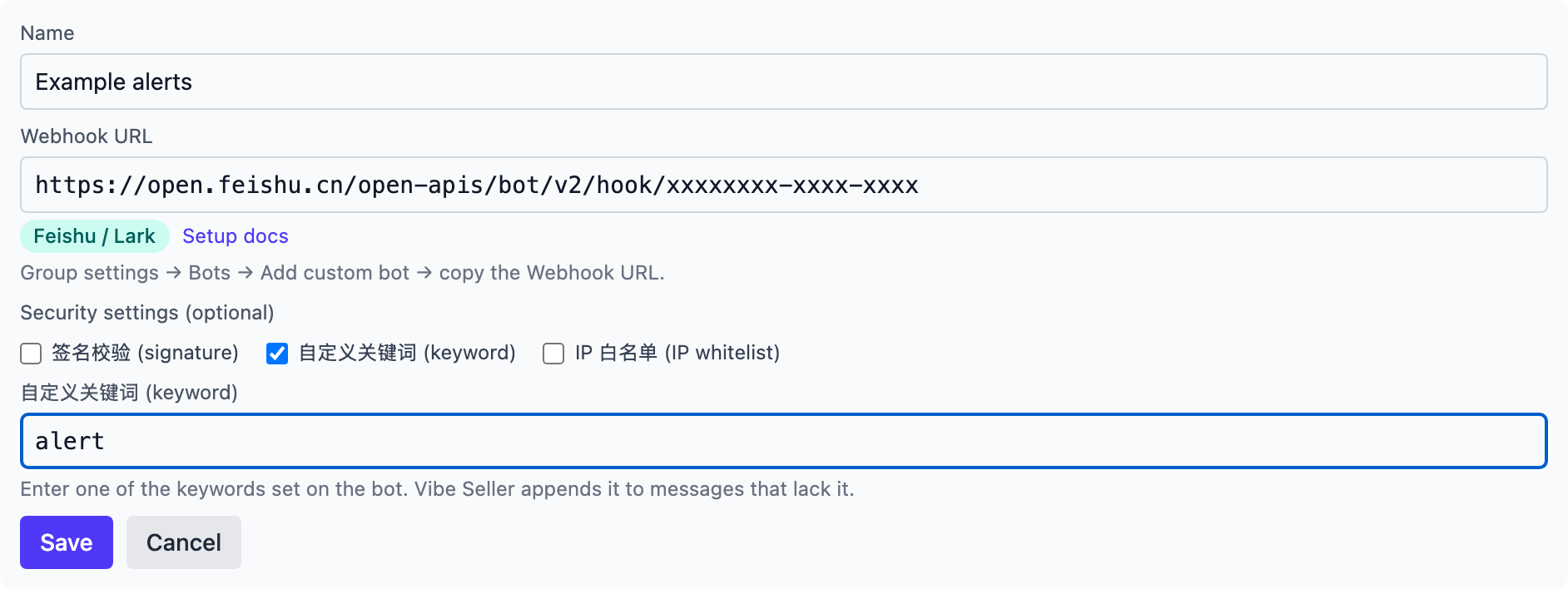
- Enter a name (e.g. "Ops alerts") and paste the Webhook URL you just copied — the platform is detected as Feishu / Lark and a "Security settings (optional)" section appears with only the three options Feishu supports. Tick the ones you actually turned on and the form reveals their field (turn none on and tick nothing — Save works as is):
- 签名校验 (signature): paste the signing key;
- 自定义关键词 (keyword): one of your keywords — the server appends it to messages that lack it;
- IP 白名单 (IP whitelist): nothing to fill in — the allowlist is set in Feishu; this only records that you use it.
- Click Save — the bot appears in the list;
- Click Test on the bot's row: a green line appears and the group receives the test message:
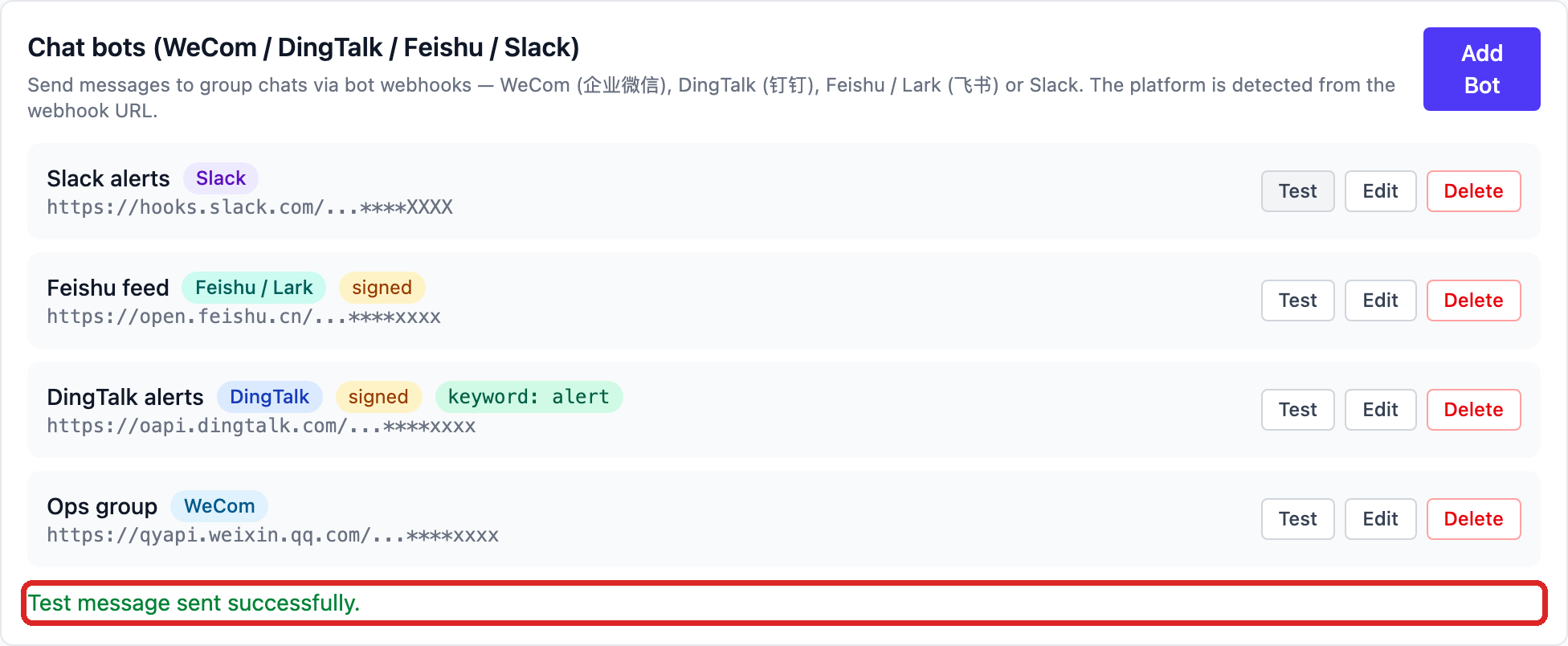
When a test fails, Feishu's real error shows under the row — fix it and test again; error meanings are in Chat bots.