Google Workspace
Once enabled, the AI can read and write your Google Sheets, Drive files, Gmail, Docs and Calendar while running a task — filling ad data into a weekly-report sheet, filing invoices into the right folder, chasing a supplier by email, putting a launch schedule on the calendar.
Under the hood this uses gws, the Google Workspace command-line tool that covers every Workspace API with one binary. Vibe Seller packages it into skills the AI can use; you install gws, sign in to Google once, then flip the toggle in Settings.
Where each integration is configured and how they divide up: see the Integrations overview.
What you need
- The gws CLI (step 1);
- A Google account that can reach Google Workspace (a plain @gmail.com account works too — you just won't use the organisation-level features);
- A Google Cloud project — step 2 shows how to create one.
Step 1: Install gws
Any of these (official README):
- Prebuilt binary (recommended): download the package for your OS
from GitHub Releases,
extract it and put
gwson your PATH; - npm:
npm install -g @googleworkspace/cli; - Homebrew (macOS / Linux):
brew install googleworkspace-cli.
Confirm with gws --version in a terminal. The Vibe Seller settings
card shows the detected version too.
Step 2: Sign in to Google
gws needs OAuth credentials from a Google Cloud project before it can touch your data. Two ways to get them:
A. With gcloud (fastest) — in a terminal:
gws auth setup    # wizard: pick account, create/select project, enable APIs, create OAuth client
gws auth login    # finish the Google sign-in in your browser
B. Manual, without gcloud:
- Open the Google Cloud Console and create a project;
- Configure the OAuth consent screen — app type External (Testing mode is fine);
- Add your own Google account under "Test users" — skip this and login fails with "Access blocked";
- Create an OAuth client of type Desktop app, download the JSON
and save it as
~/.config/gws/client_secret.json; - Run
gws auth loginand pick the services you need.
You are signed in when gws auth status says so — and the card's
"Authentication" row in Vibe Seller turns green ("Logged in").
Full docs: gws CLI README.
'Google hasn't verified this app'?
This appears for apps in Testing mode. Click Continue →
Go to … (unsafe) — it is your own app, so the warning is part
of the normal flow. Unverified apps are also limited to ~25 OAuth
scopes; if gws auth login complains there are too many, select
fewer services: gws auth login -s drive,gmail,sheets.
Step 3: Enable in Vibe Seller
Open Settings → Integrations → Google Workspace:
- The card runs two checks first: gws binary (shows the version once installed) and Authentication ("Logged in" after signing in);
- When both pass, click Enable on the right of the "Enable" row. The first run takes 20–30 seconds — gws generates documentation for every API and the bundle is installed into your workspace;
- "Enabled — 19 sub-skills installed" means you are done.
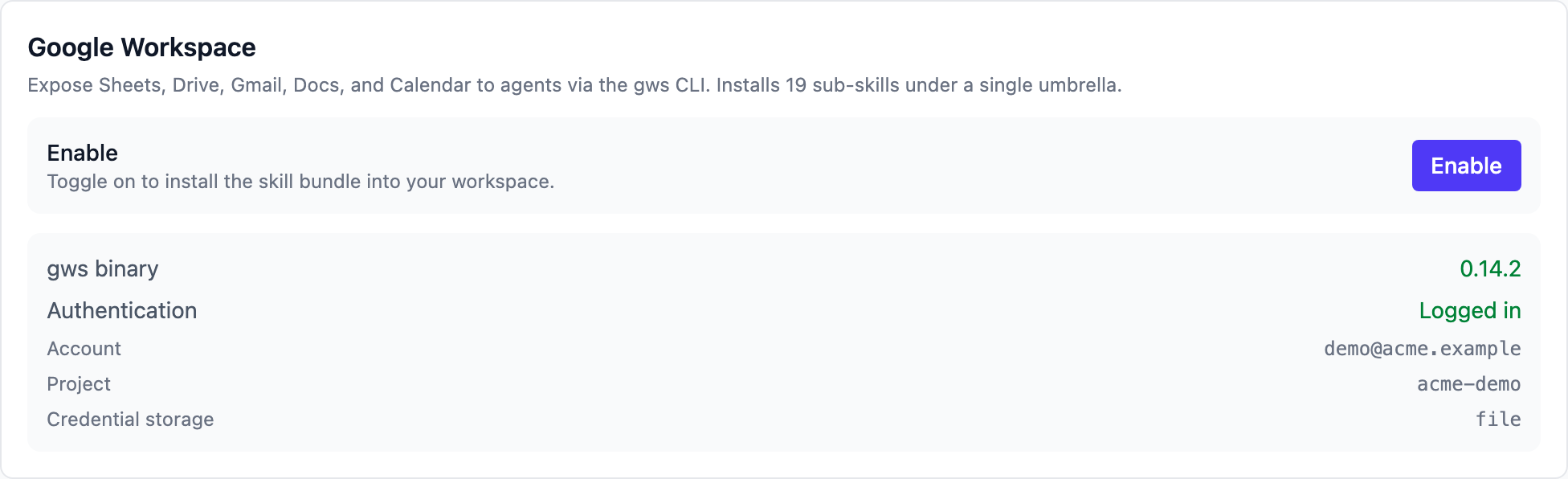
The three states side by side:
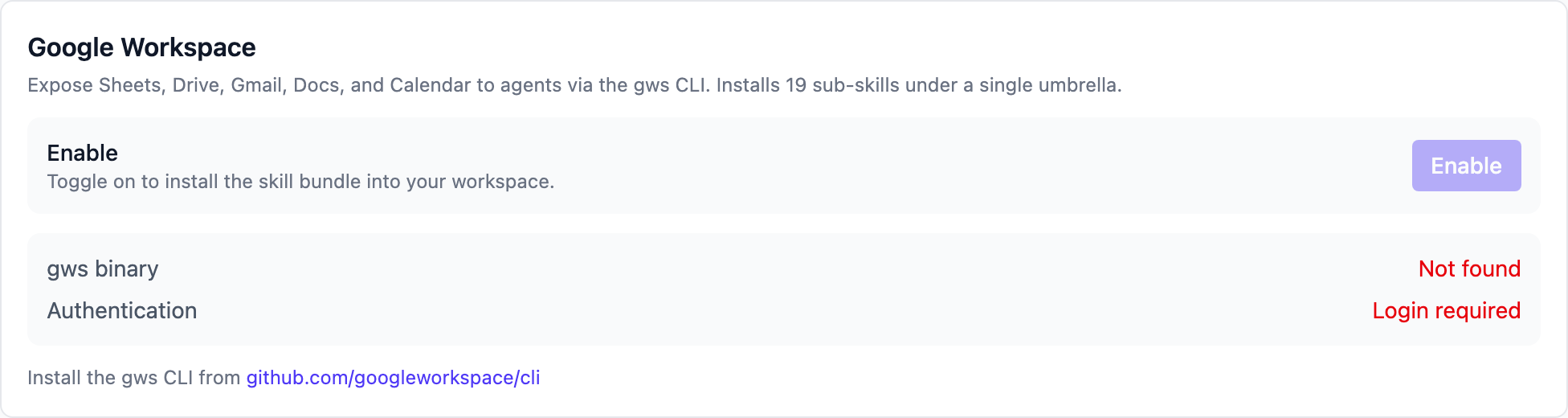 No gws yet: follow the download link in the hint
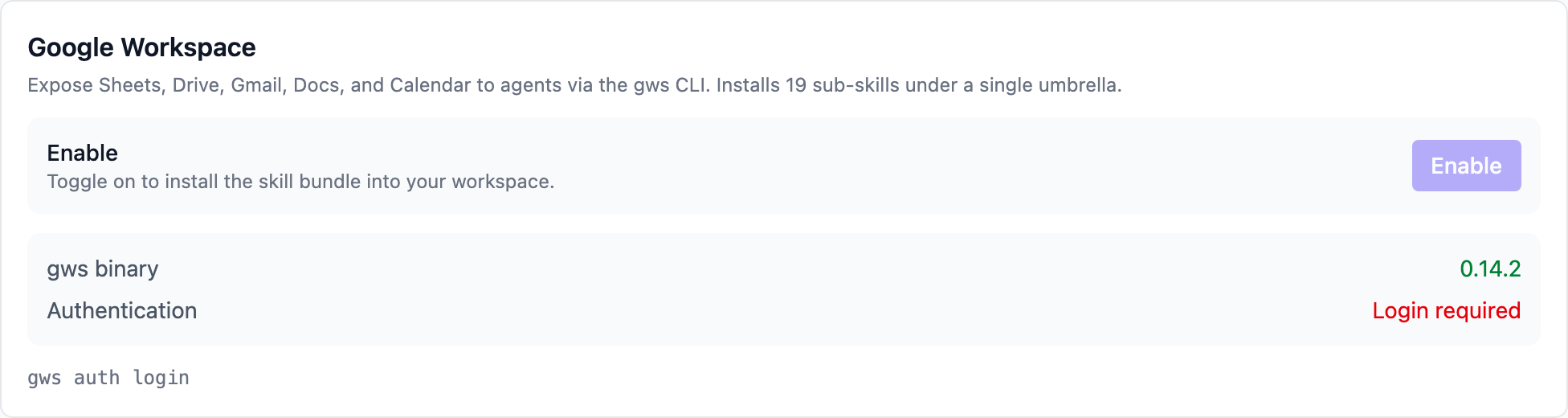 Installed but not signed in: run
gws auth login in a terminal
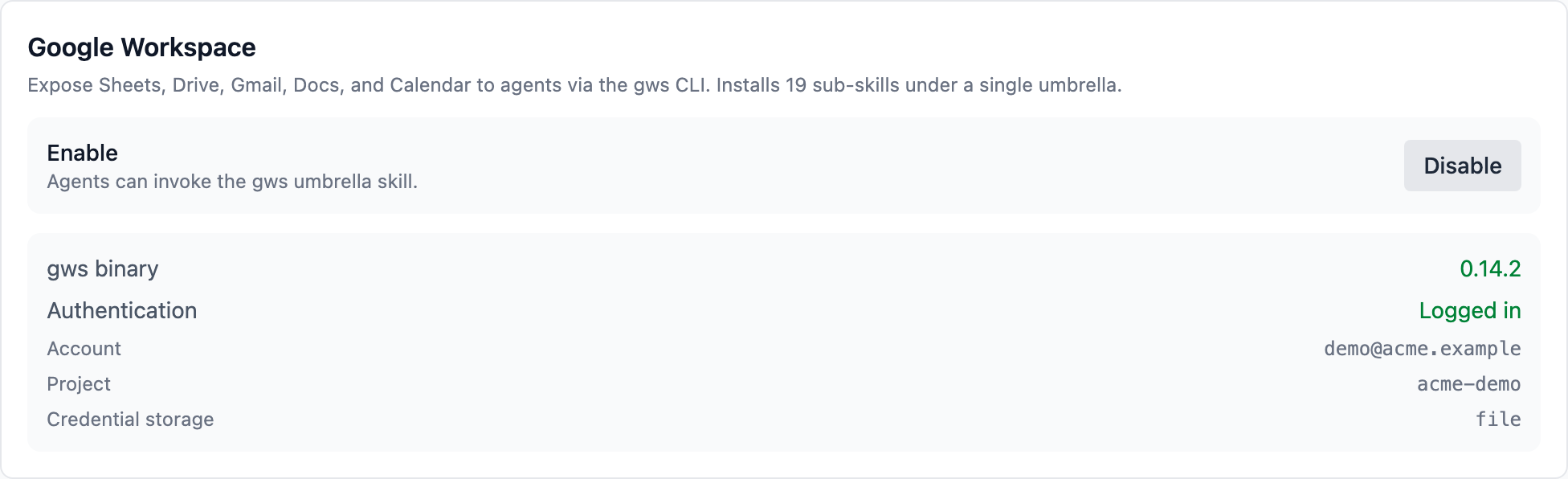 Enabled: the button becomes "Disable", and you can turn it off any time
Verify
- Back on this card, the hint under the "Enable" row now reads "Agents can invoke the gws umbrella skill." and the button says "Disable";
- Try a task: Summarise the last column of this Google Sheet (give it the sheet link);
- If the AI reads the sheet and gives you the summary, the integration works.
What the AI can do with it
Skills are grouped by Google product and loaded on demand:
| Product | What it covers |
|---|---|
| Sheets | Read/write cells, append rows, update inventory and reports |
| Drive | Find files, upload invoices and certificates, tidy folders |
| Gmail | Read and write mail, forward, reply, summarise the unread |
| Docs | Append text, update listing copy and SOPs |
| Calendar | Look up the schedule, create launch and promo events |
Every action runs as the Google account you signed in with, limited to the scopes you approved. To take it away, click Disable on the card — the skills are removed from the workspace.
FAQ
"gws binary" says "Not found"?
gws is not on the PATH. Reinstall it (step 1) and restart Vibe Seller so it re-checks. On Windows, restarting is needed after putting gws.exe on the PATH as well.
"Authentication" says "Login required" but I signed in to Google in the browser?
gws has its own sign-in: run gws auth login in a terminal once —
a browser Google session doesn't count. The gws auth login line
under the card is there to copy.
Enabling fails with "gws is installed but not authenticated"?
Finish step 2 (gws auth login) first, then click Enable again. The
toggle only works once gws is installed and signed in.
Is enabling slow?
The first run takes 20–30 seconds while gws generates documentation for all APIs. After that, enable/disable is quick.
"Access blocked" or 403 during login?
Your OAuth app is in Testing mode and the account is missing from
Test users. In the Cloud Console, OAuth consent screen →
Test users → Add users, add your address, then run
gws auth login again.
Any limits for a company Google Workspace account?
Administrators can switch off APIs or restrict third-party apps. If some operations fail with permission errors after connecting, ask your admin to check the corresponding service in the admin console. Personal @gmail.com accounts have no such layer.
Is my data still there after disabling?
Disabling only removes the skill bundle — your Google data and the gws sign-in credentials are untouched. Re-enable whenever you want it back.