Connect Vibe Seller to Codex
Once it's connected, you can ask Codex to create Vibe Seller tasks, follow their progress and answer their questions.
Two things to get ready first:
- An API key — see First: create an API key. Right after you create it, the dialog shows your server address and a ready-made Codex config;
- Codex itself, installed from chatgpt.com/codex.
Connect
-
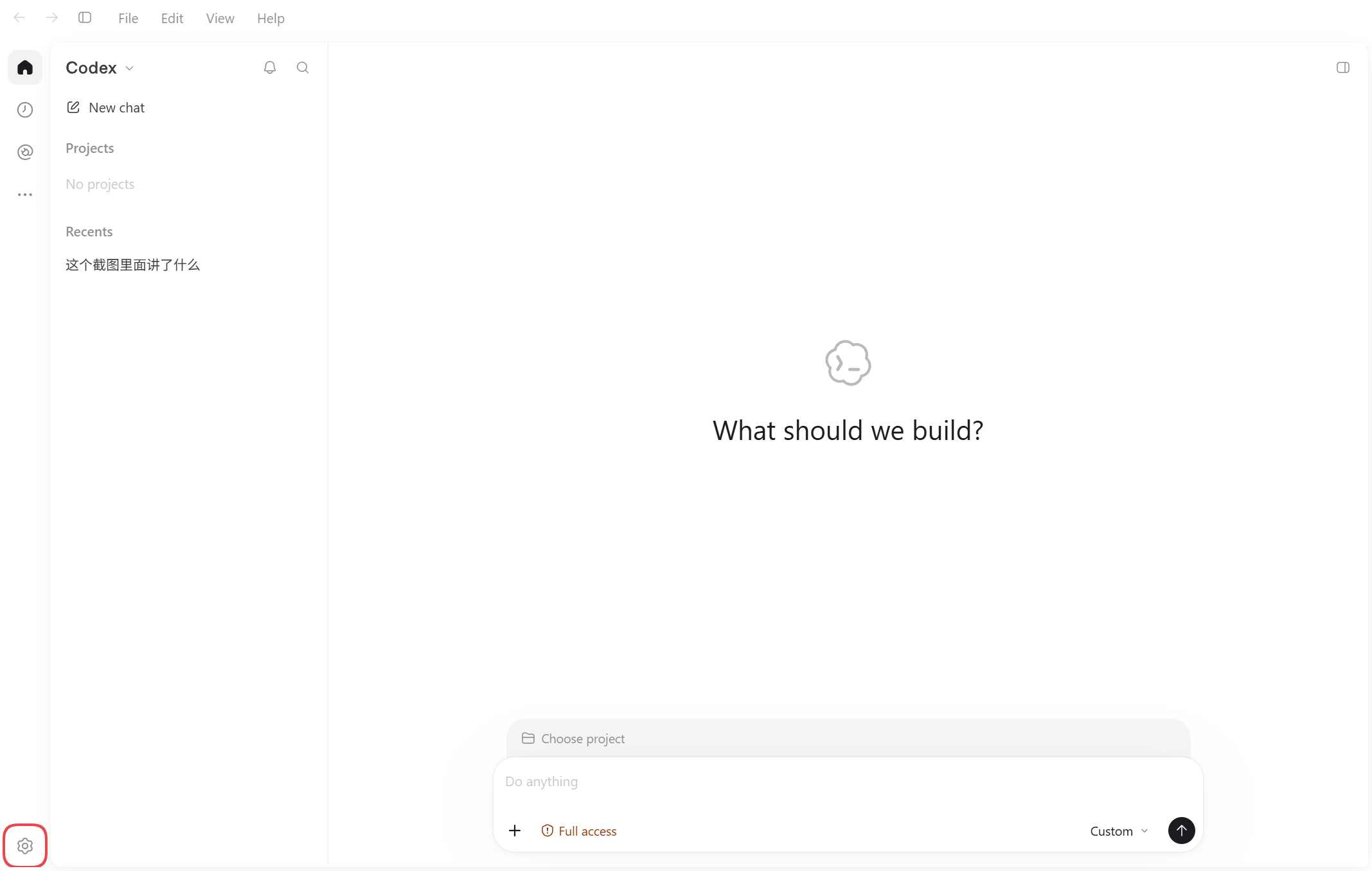
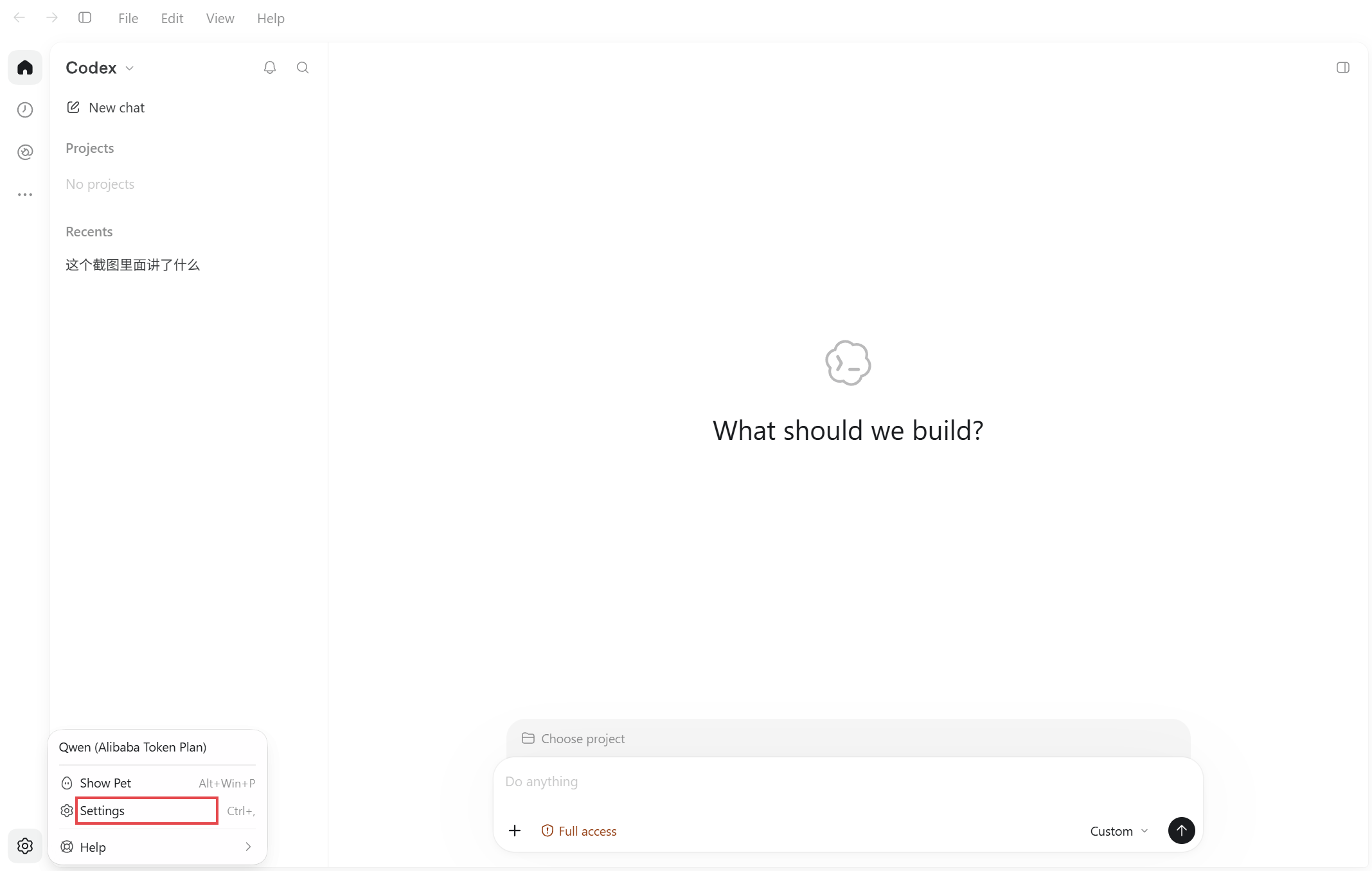
Click the gear in the bottom-left corner and choose Settings.
-
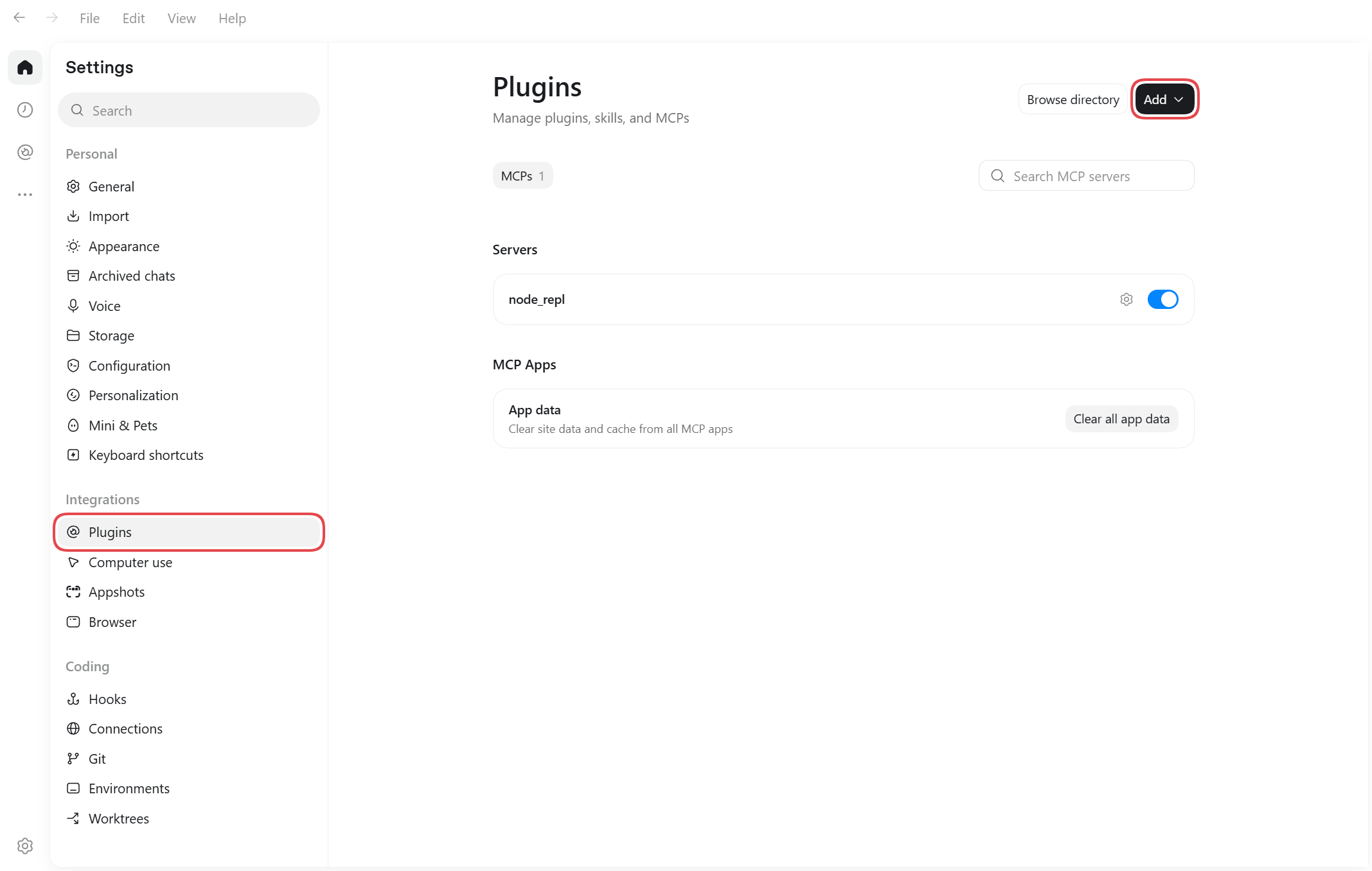
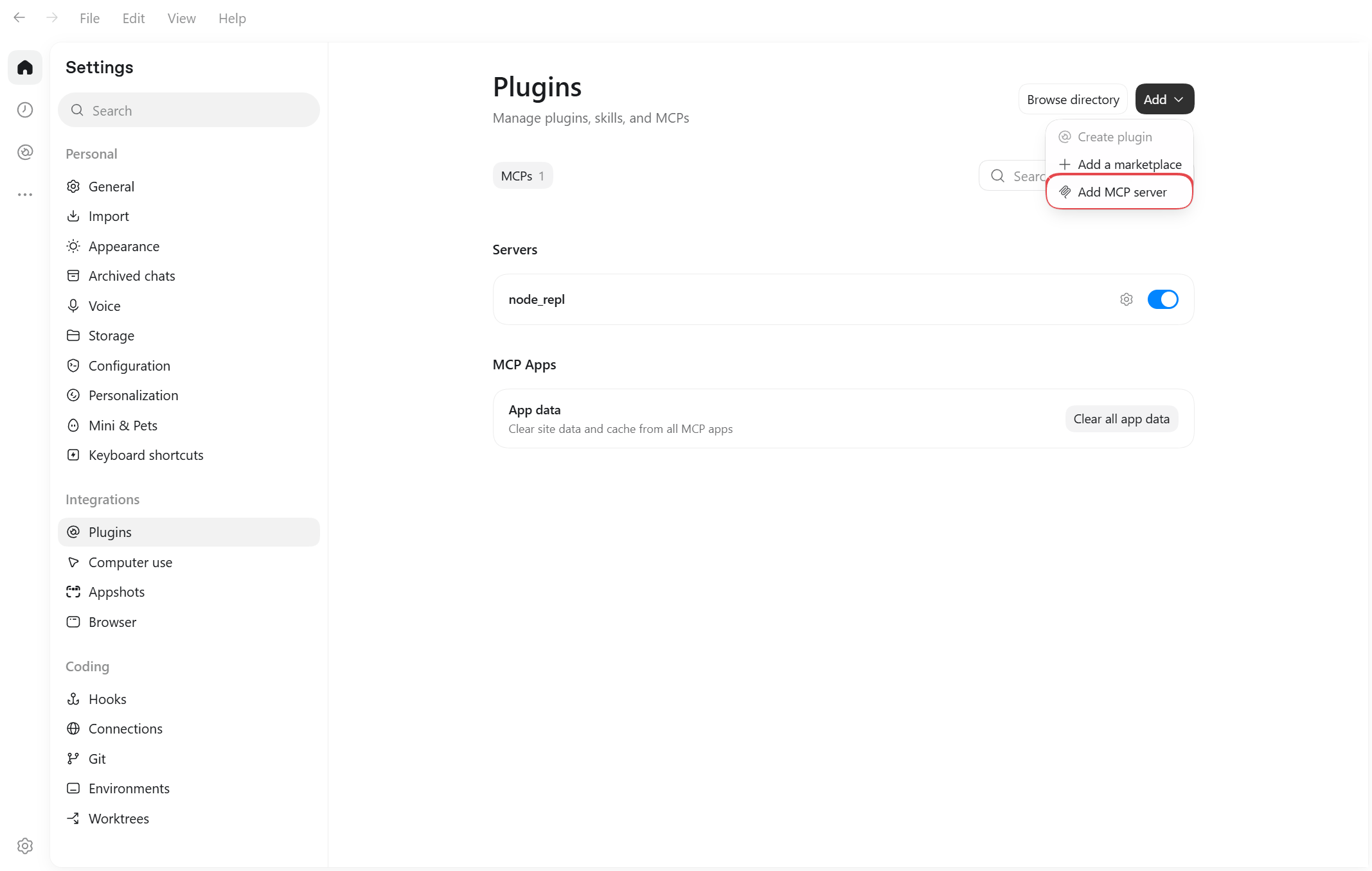
In the left column of Settings pick Plugins, then click Add → Add MCP server at the top right.
-
Fill in the form as below. Every value to copy is in the dialog's In the app tab — click Copy next to it and paste, no typing.
Field in the Codex form What to enter Example (fake) Name the dialog's Name vibe-sellerType choose Streamable HTTP — URL the dialog's URL http://192.168.1.10:7777/api/mcpHeaders · key (left) the dialog's Header name AuthorizationHeaders · value (right) the dialog's Header value Bearer vst_AbC123xYzBearer token env var, Headers from environment variables leave empty — 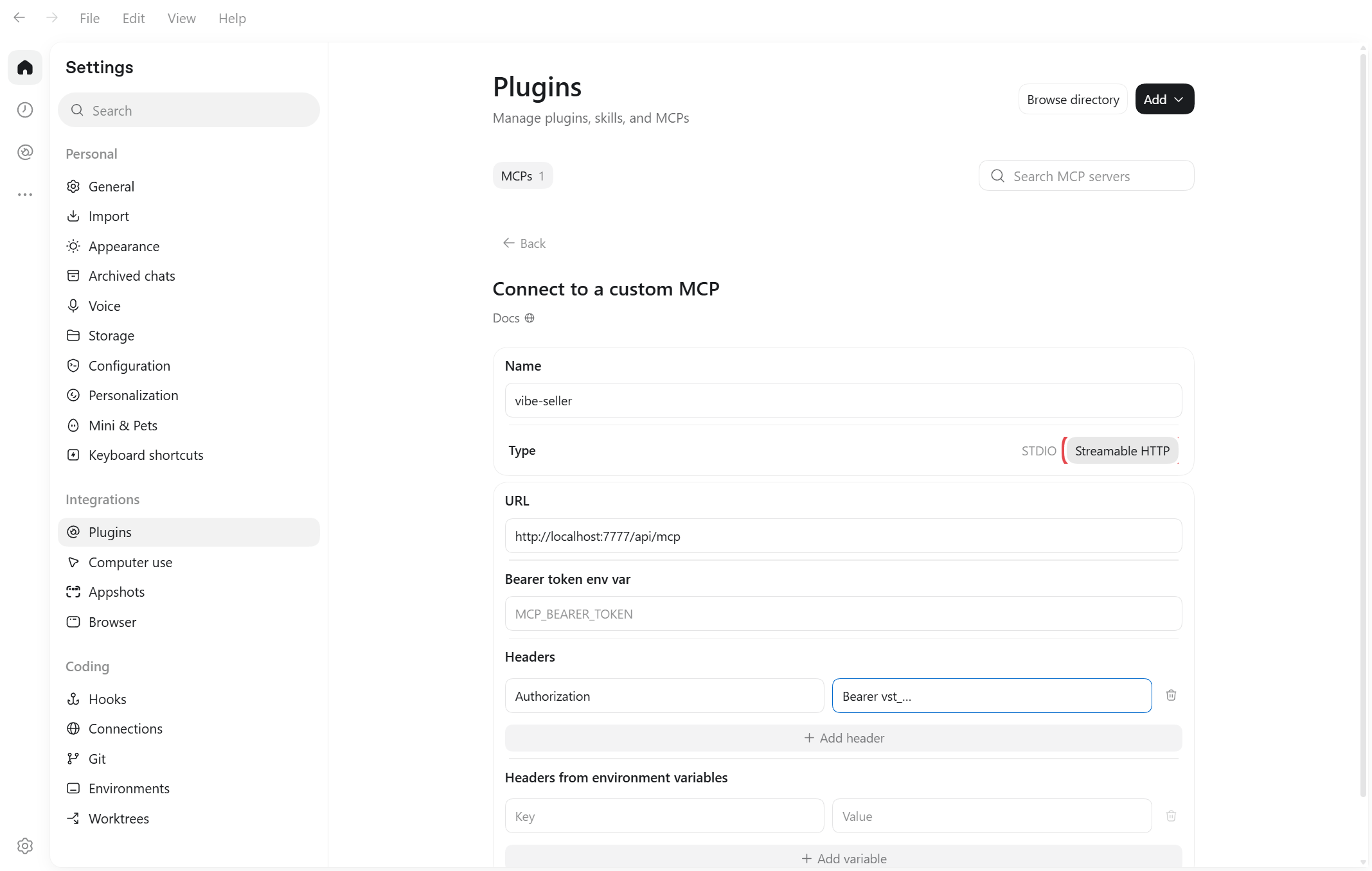
-
Save. The list now shows
vibe-sellerwith its switch on, and it takes effect immediately.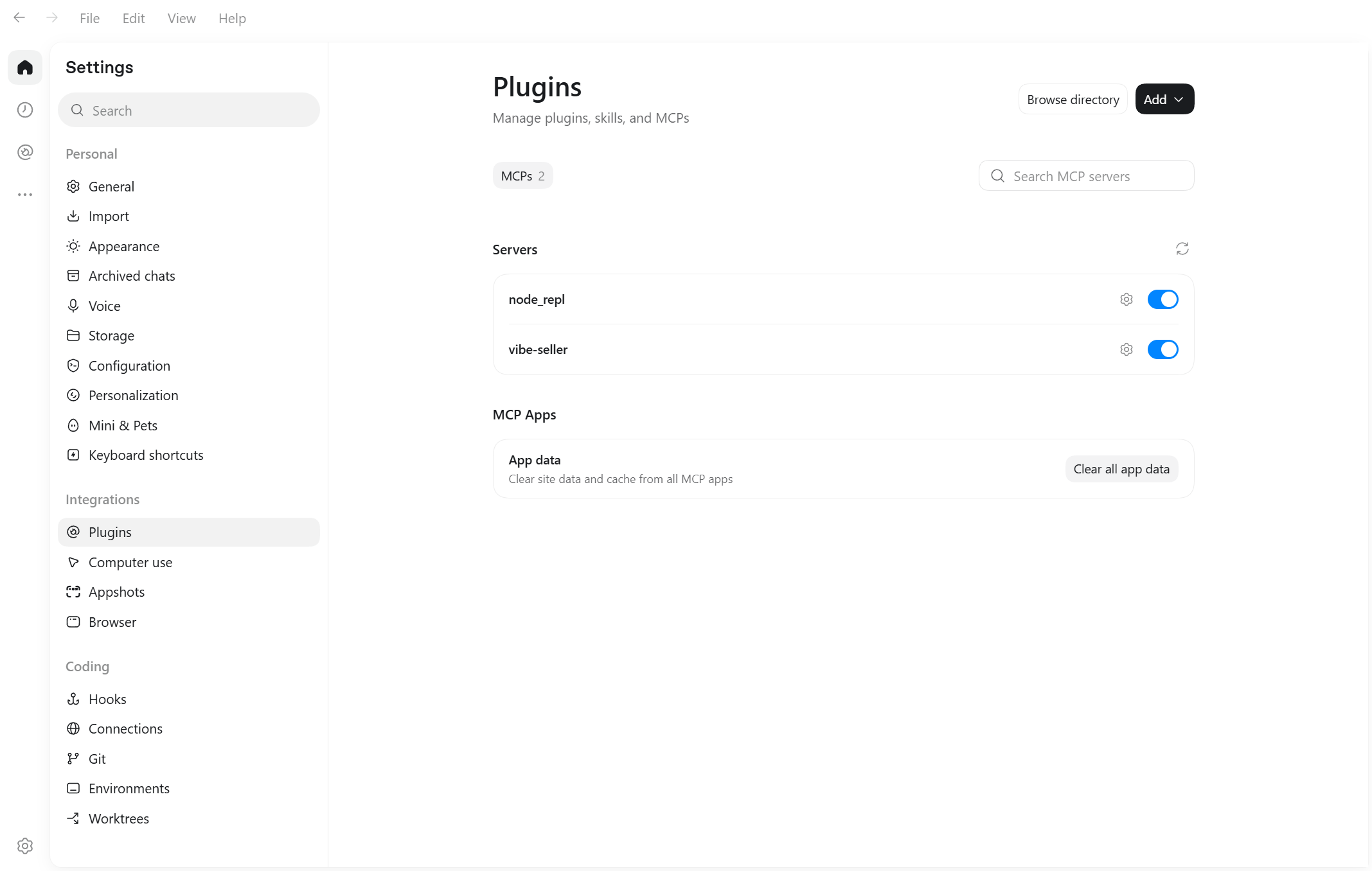
The file is ~/.codex/config.toml — on Windows
C:\Users\<your-username>\.codex\config.toml. You can also open it from
Settings → Configuration → Open config.toml.
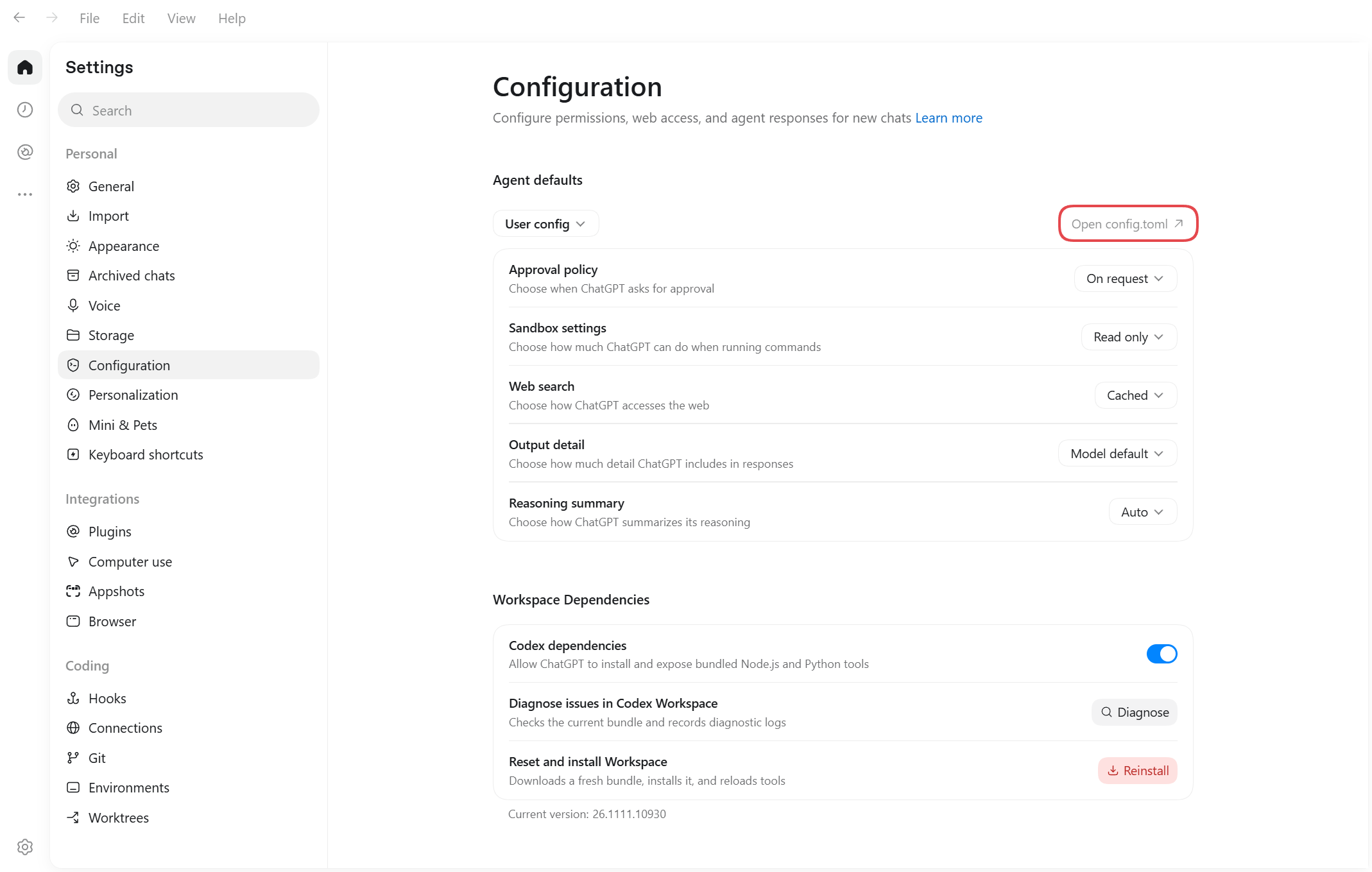
Paste the block from the dialog's Command line / config file tab at the very end of the file, save, then quit Codex completely and reopen it. The block looks like this:
[mcp_servers.vibe-seller]
# Connects to this machine; if Vibe Seller runs elsewhere, use its address instead of localhost
url = "http://localhost:7777/api/mcp"
http_headers = { "Authorization" = "Bearer vst_…" }
Don't paste the block twice
Two [mcp_servers.vibe-seller] sections invalidate the whole
config.toml.
Check it works
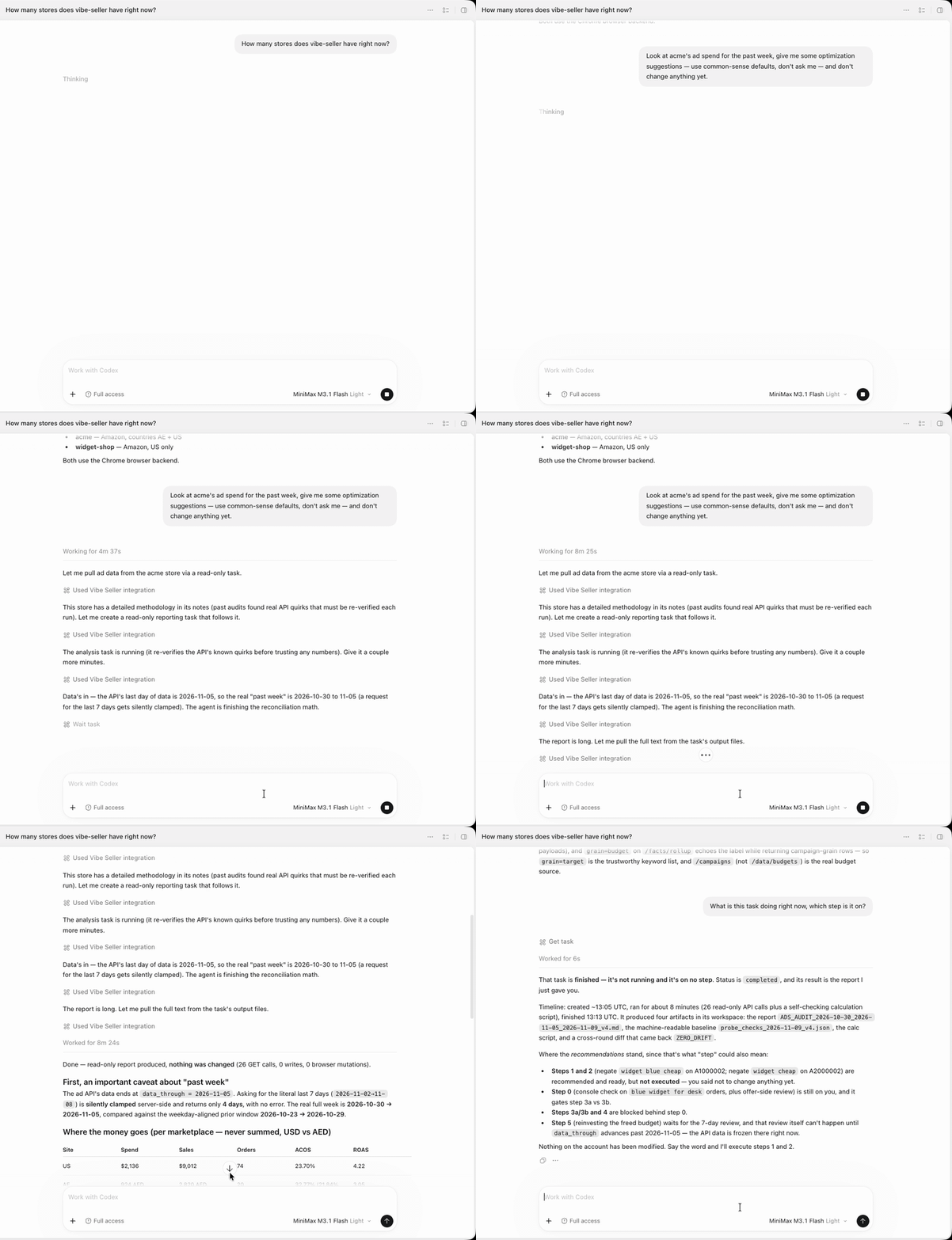
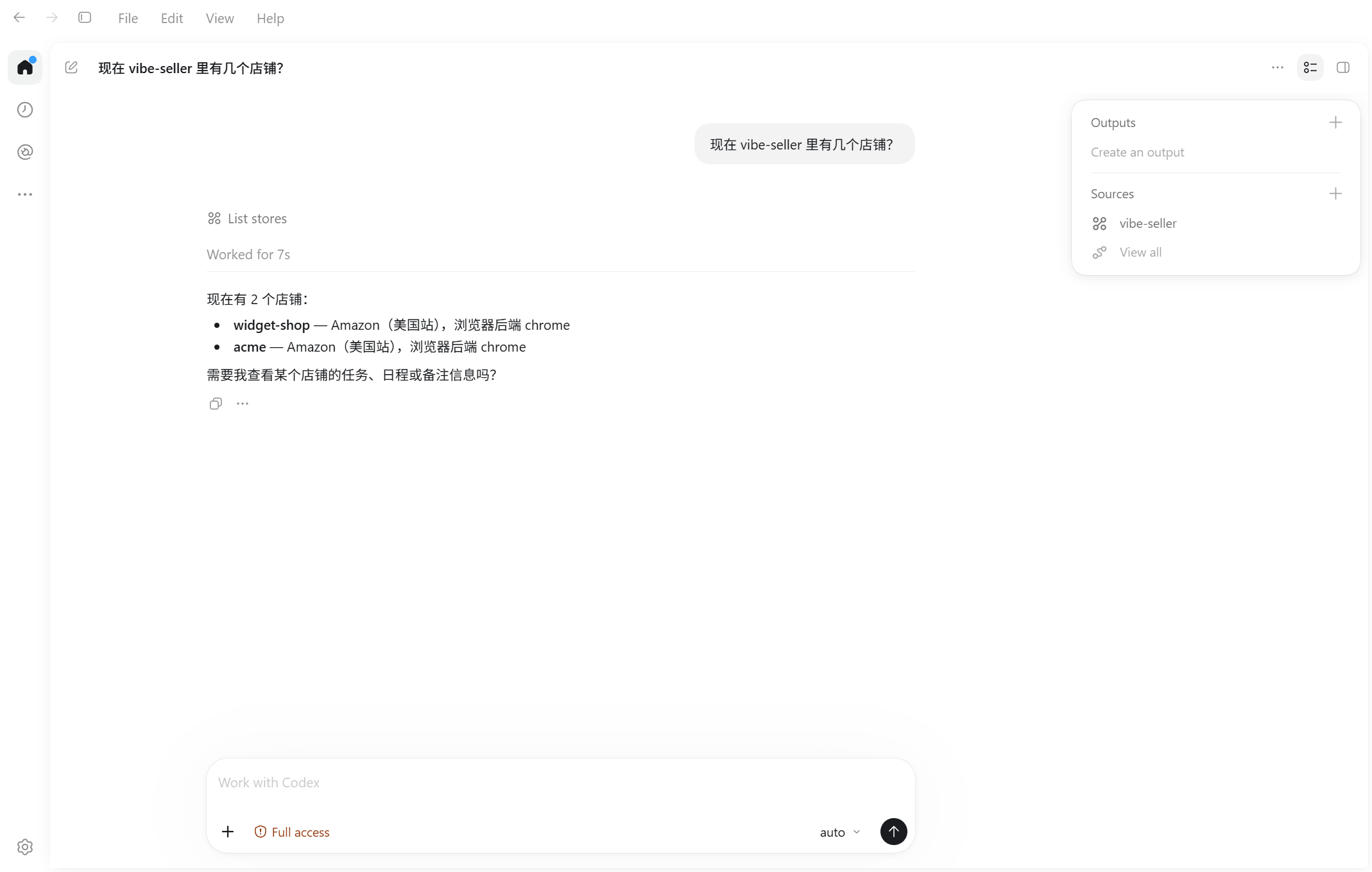
Start a new chat and ask how many stores are in vibe-seller right now?. If it calls the tool and names your stores, you're connected.
Change or remove
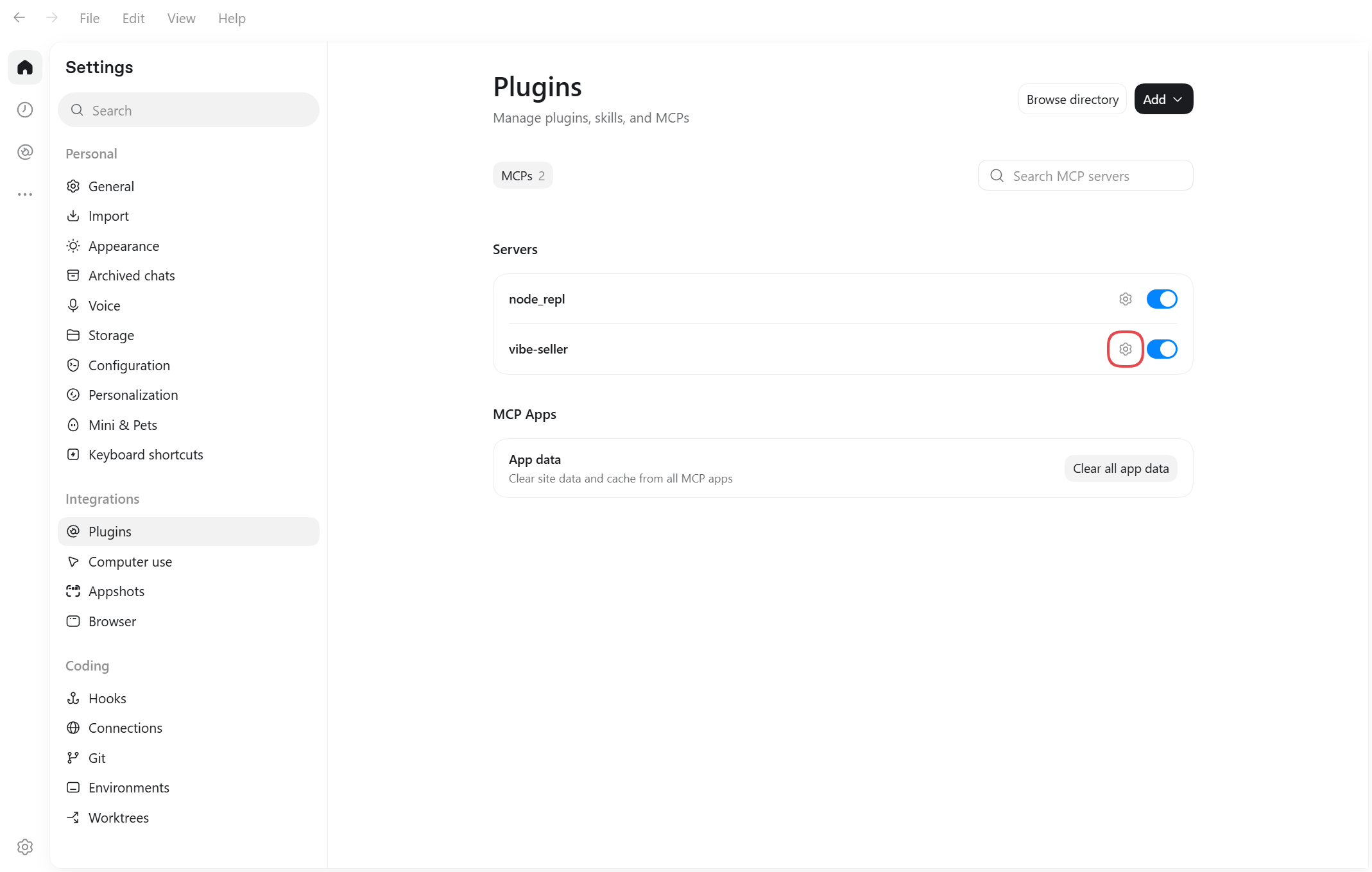
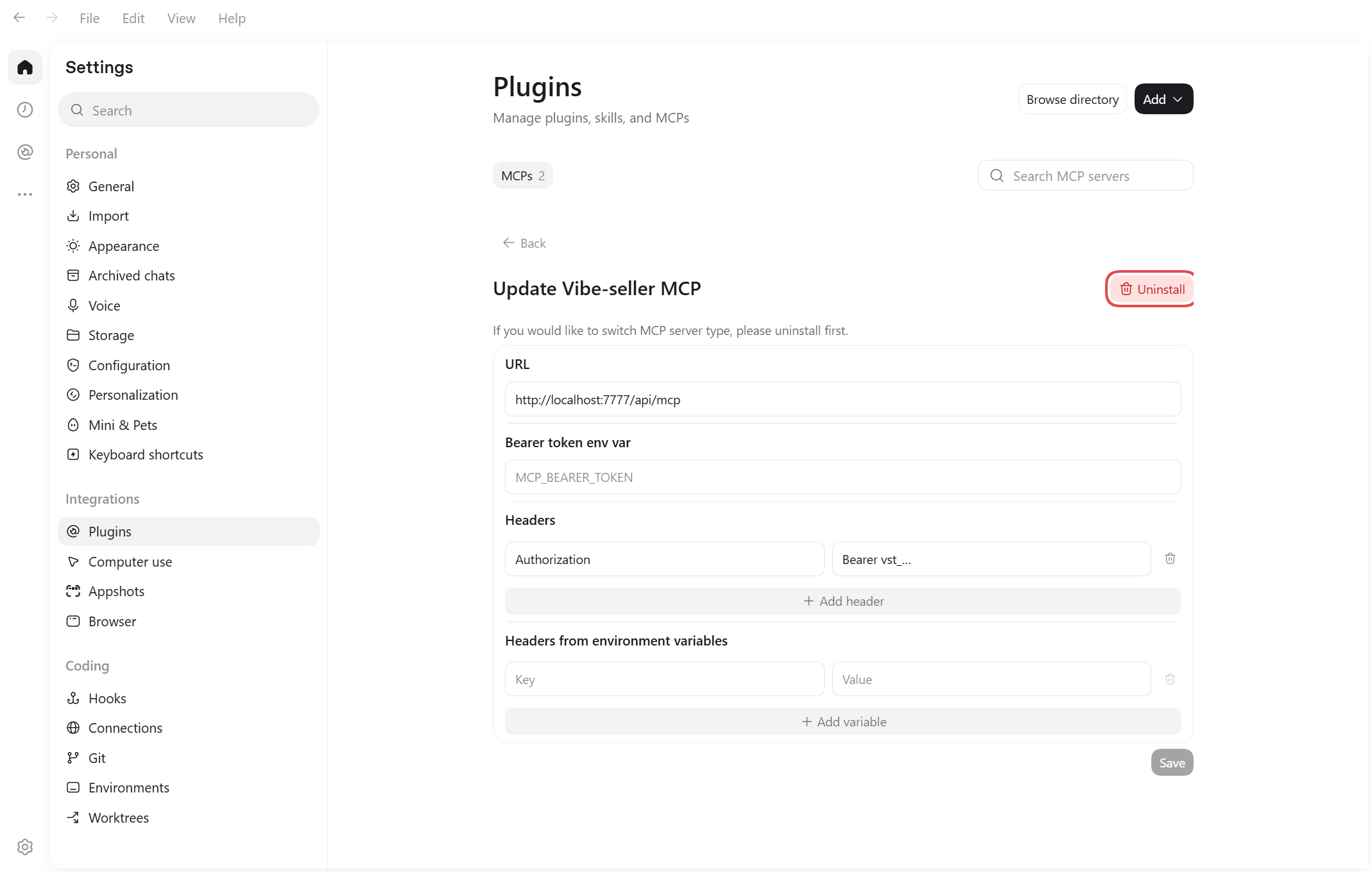
To change the address or swap the key, click the gear on the vibe-seller row
under Settings → Plugins and edit the URL or the headers on that page.
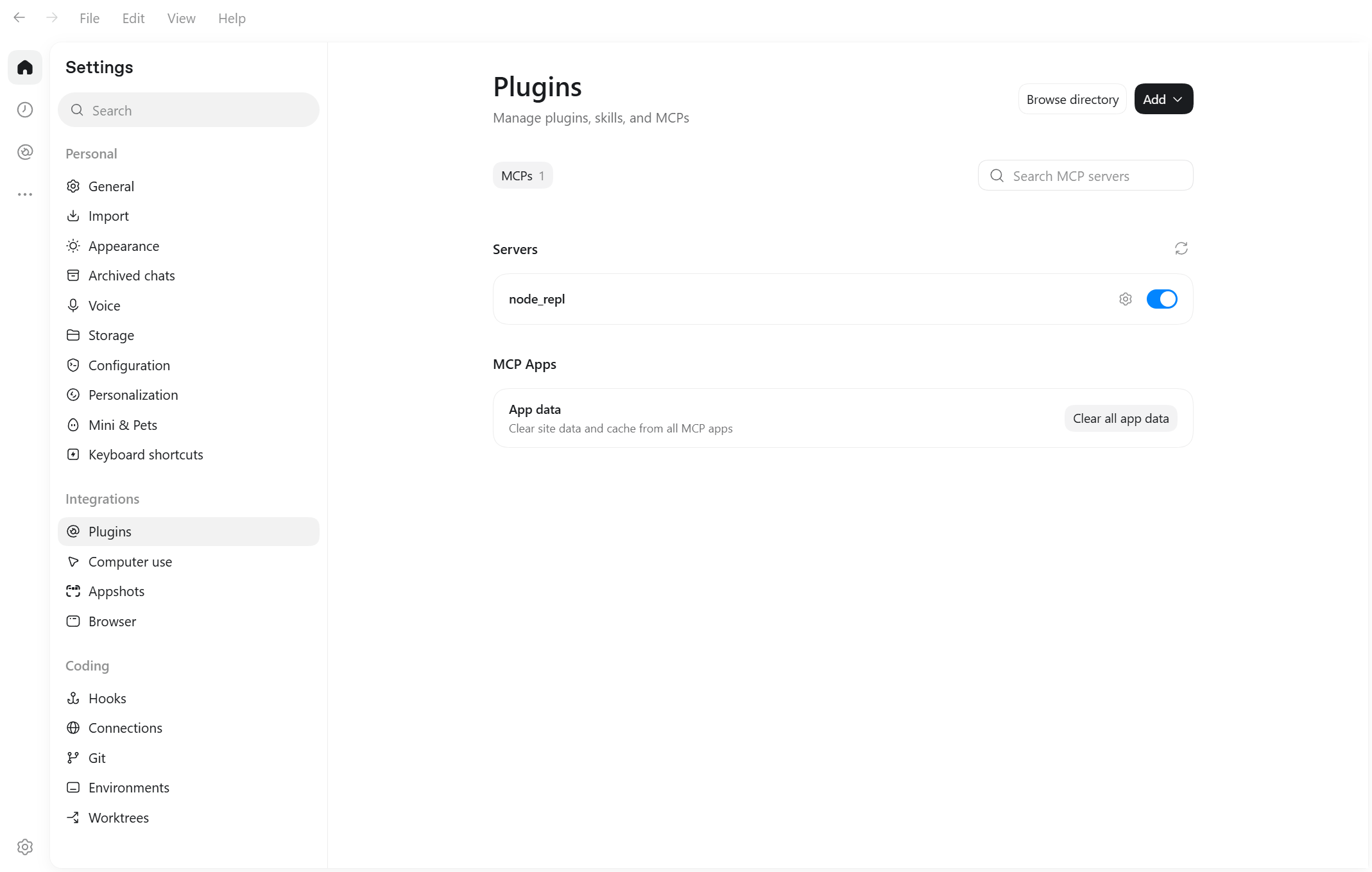
Uninstall removes the server — there's no confirmation step.
Next
See What you can ask for what to say once you're connected, and Examples for full walkthroughs.