Chat bots (WeCom / DingTalk / Feishu / Slack)
Connect a group chat bot in Vibe Seller and task results, reports and alerts land in the group chat — no more copy-pasting. WeCom (企业微信), DingTalk (钉钉), Feishu / Lark (飞书) and Slack are all supported.
Once it is connected, say send this weekly report to the ops group — to a task, or as a follow-up — and the message goes out. To check a setup any time, hit Test. The bot only posts outward; reading the group back isn't wired up.
Where each integration is configured and how they divide up: see the Integrations overview.
What you get
- Task results, alerts and reports posted to the group. The WeCom bot can also send files (PDF, images, spreadsheets, up to 20 MB).
- Nothing is posted automatically. A message goes out when you press Test, or when an agent sends one because you asked it to. Task completion notices still only appear in the Vibe Seller web UI.
- One bot belongs to one group. To post into several groups, add several bots.
The four platforms differ slightly:
| WeCom | DingTalk | Feishu / Lark | Slack | |
|---|---|---|---|---|
| Where | internal groups only | normal + external groups | group chats | channels |
| Security | none (the URL is the credential) | keyword / signing / IP range | keyword / signature / IP allowlist | none (the URL is the credential) |
| Text | 2 KB | ~20 KB | 20 KB | 40,000 characters |
| Markdown | 4 KB (reduced subset) | ~20 KB (title derived) | 20 KB (as a card) | 12,000 characters |
| Files | ✔ up to 20 MB | ✘ | ✘ | ✘ |
| Rate limit | 20 msgs/min | 20 msgs/min | 100 msgs/min | see Slack's docs |
What to prepare
- A group you are allowed to add bots to (each platform's page covers its own rules).
- The bot's Webhook URL — steps on your platform's page. The URL is the credential; never post it anywhere public.
- For DingTalk and Feishu: the signing secret and/or keyword if you turn those security settings on.
Choose your platform
Create the bot in your group first, copy its webhook URL, then add it in Vibe Seller:
All four follow the same three moves: create the bot in the group, copy its webhook URL, paste it into Vibe Seller and press Test. They differ only in where the entry lives and which security settings exist.
Add the bot in Vibe Seller
-
Open the Vibe Seller web UI at Settings → Integrations → Chat bots and click Add Bot:

-
Give it a name (e.g. "Ops Alerts") and paste the whole Webhook URL. The platform is detected from the URL and shown as a badge; under it a one-line hint says where to copy the Webhook URL from (e.g. DingTalk: "Group settings → Bots → Add custom robot → copy the Webhook URL."), with a link to the platform's docs:
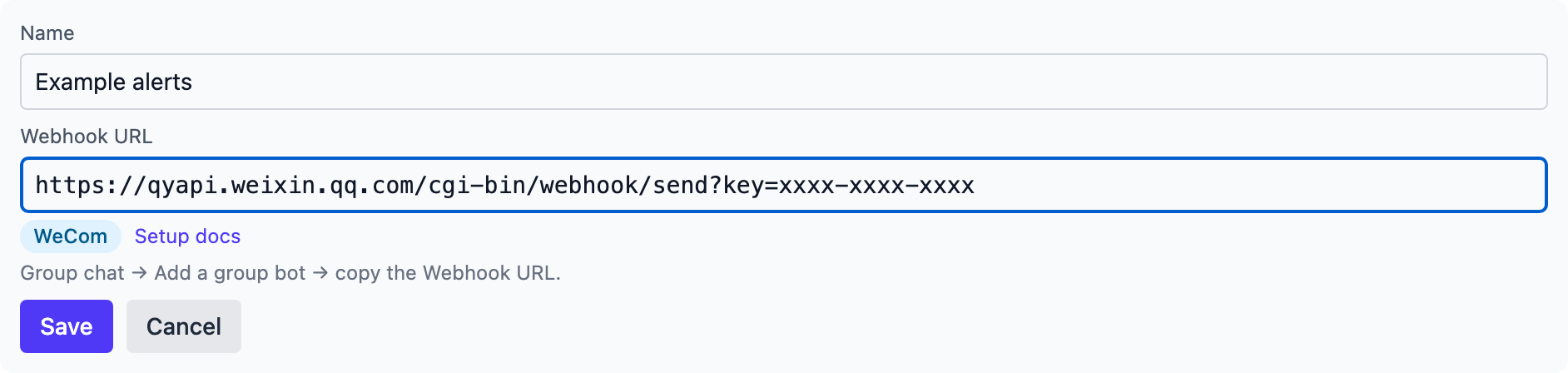
-
The form below shows ONLY that platform's own security settings. DingTalk gets "Security settings (pick at least one)" — tick at least the setting you actually configured (every one the robot uses, if it combines them) and only the ticked option's field appears. Feishu gets "Security settings (optional)" where ticking an option reveals its field; WeCom and Slack have no security section at all:
- 加签 / 签名校验 (signed secret / signature): the
SEC…secret (DingTalk) or the signature secret (Feishu), into the ticked option's field. - 自定义关键词 (keyword): one of the keywords you configured on the platform.
- IP 地址段 / IP 白名单 (IP range / whitelist): nothing to fill in — the allowlist is set on the platform's side; ticking it records that you use it.
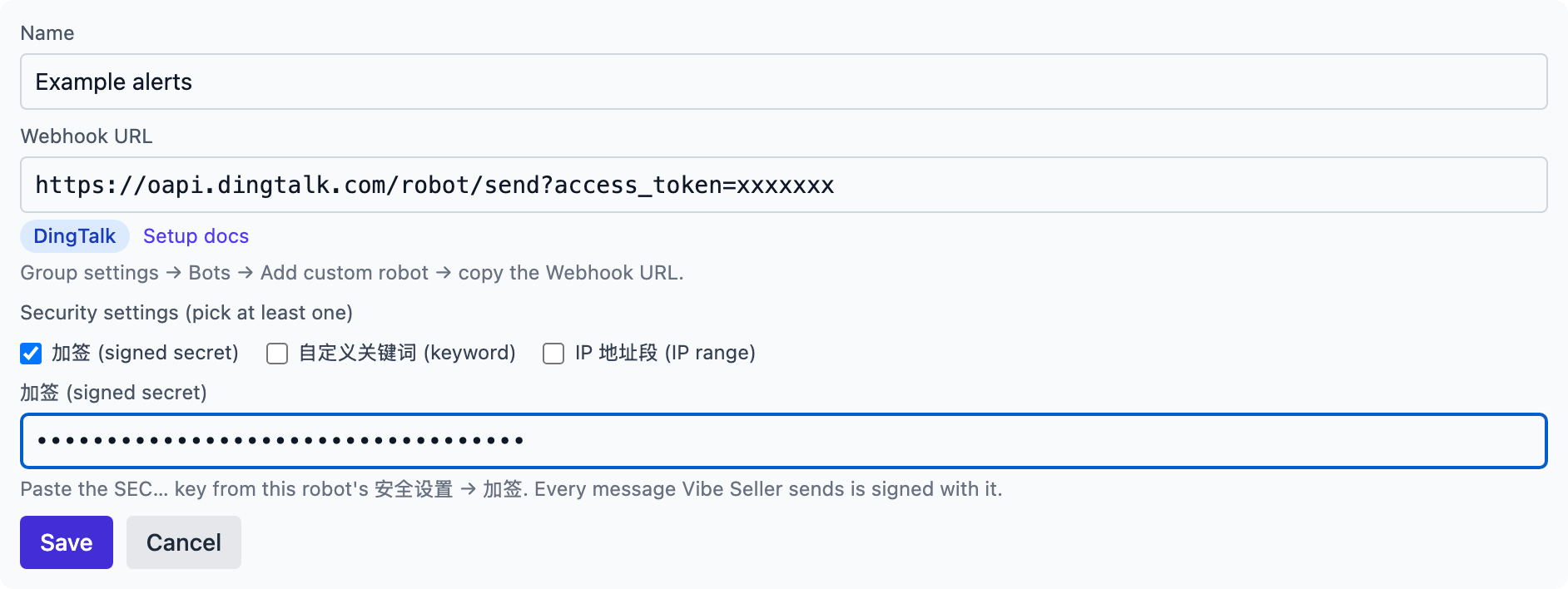
- 加签 / 签名校验 (signed secret / signature): the
-
Click Save. The bot appears in the list with its platform badge, a "signed" tag and its keyword; the webhook URL is masked:
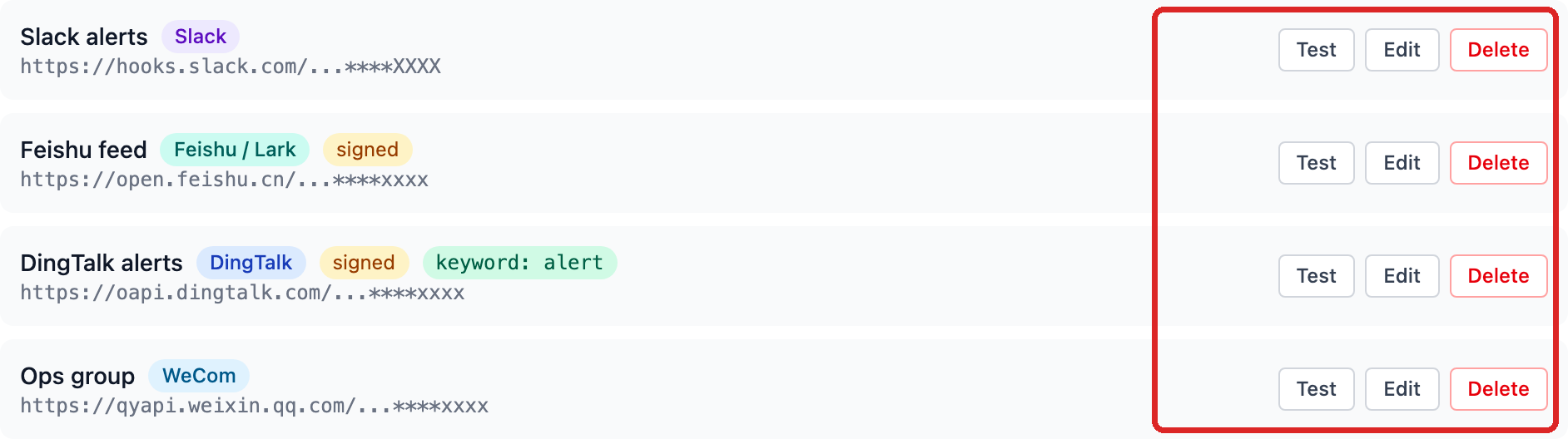
-
Click Test on the bot. A green confirmation means it works:
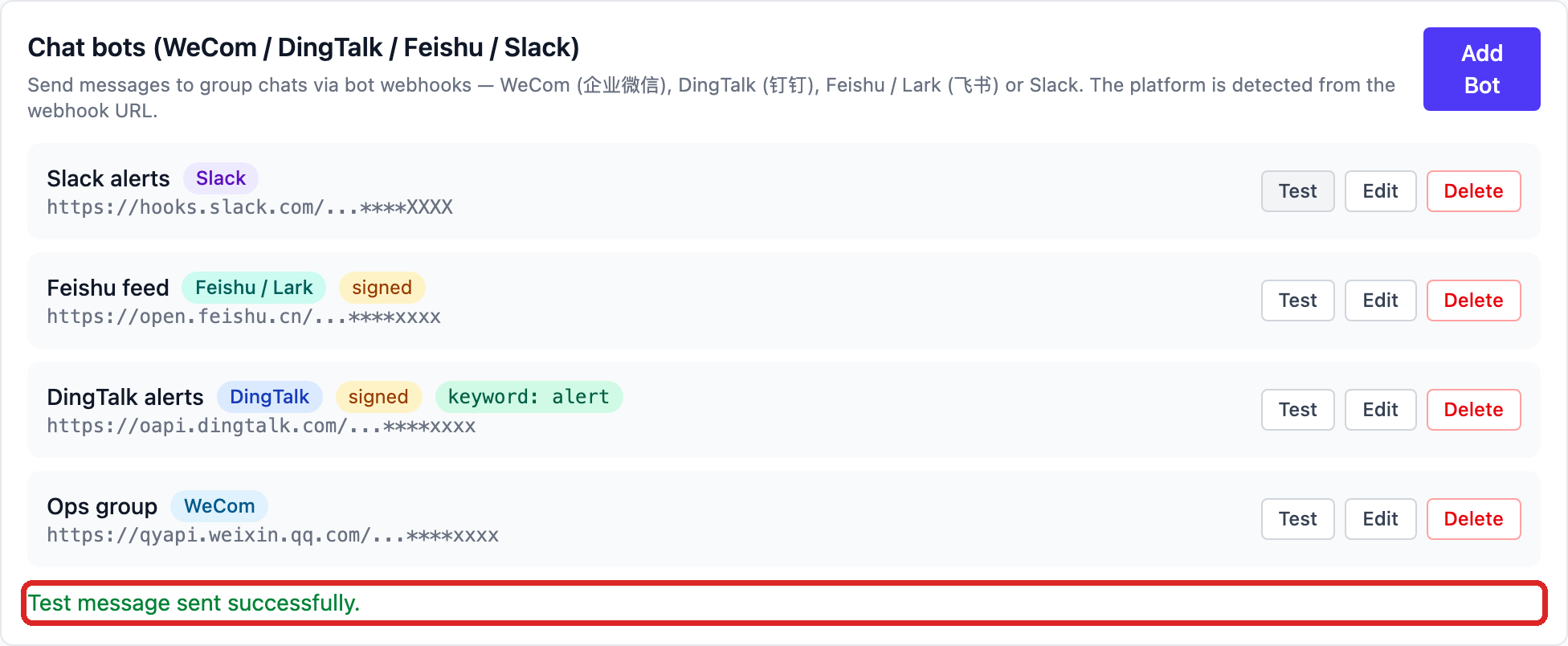
On failure, the platform's real reason appears under the bot row.
token is not exist(DingTalk error 300005) here means the access_token is wrong or the bot was deleted — copy the address from the group again. See the FAQ for the other errors: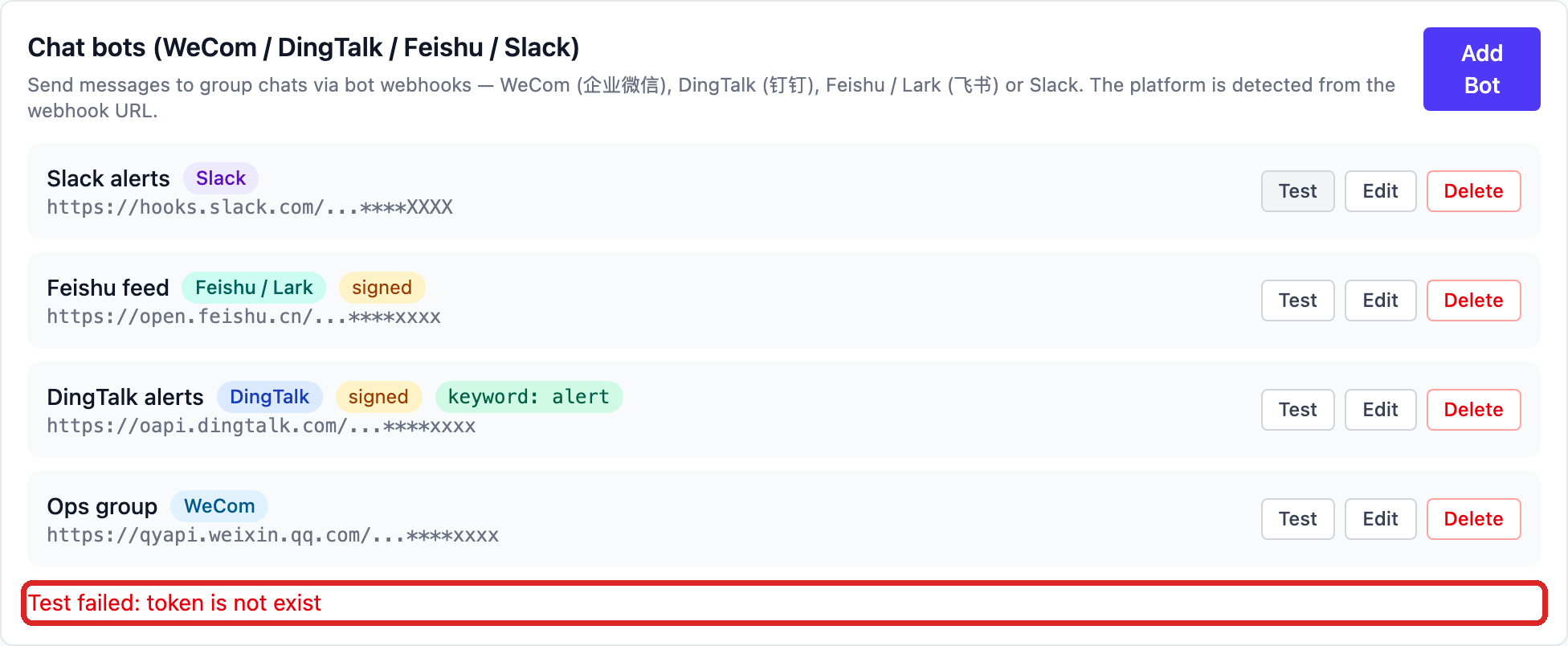
To change a bot later, click Edit. The full webhook URL is only revealable by an admin — everyone else always sees the masked form.
To remove a bot, click Delete and confirm. It disappears from Vibe Seller; the bot itself is still in the group chat, so remove it there too if you no longer want it.
Verify
- Press Test — the group shows
Vibe Seller: chat bot connection test ✅. - Then run a real task: when creating it, say when done, send the result to the ops group, or send the same as a follow-up message once the task finishes. The task's agent posts through the bot (on WeCom it can attach report files too).
What the bot posts
- Only what is asked for: your test message, a message the task's agent sends because you told it to, or one sent by a connected external AI tool. Vibe Seller never pushes task notices to the group on its own.
- The task's agent can send text and markdown (WeCom can also send files — task captures and downloads, up to 20 MB each). It never sees your webhook secret; the secret stays inside Vibe Seller.
- Markdown renders differently per platform:
| Platform | Markdown |
|---|---|
| WeCom | reduced subset: headings, bold, links, inline code, quotes — no tables |
| DingTalk | headings, bold, links, images, lists, quotes; the notification title comes from the first line |
| Feishu | sent as a card; common markdown supported |
| Slack | standard markdown (Block Kit) |
FAQ
What do the test errors mean?
The Test button shows the platform's own reply; the platform's error code is in parentheses. The common ones:
| Message (error code) | Cause | Fix |
|---|---|---|
invalid webhook url (WeCom 93000) |
bad URL, or the bot was deleted | copy the address from the group again |
token is not exist (DingTalk 300005) |
bad access_token, or the bot was deleted | copy the address from the group again |
param invalid: incoming webhook access token invalid (Feishu 19001) |
bad URL, or the bot was deleted | copy the address from the group again |
no_team (Slack) |
bad webhook URL, or it was revoked | copy it again from the app settings |
Key Words Not Found (Feishu 19024) |
keyword check on, message lacks the keyword | fill the 自定义关键词 field, or switch to signature check |
keywords not in content (DingTalk 310000) |
keyword check on, message lacks the keyword | fill the 自定义关键词 field with one of the platform's keywords |
sign not match / invalid timestamp (DingTalk 310000) |
signing on, wrong secret | check the 加签 field holds this bot's SEC… key |
sign match fail or timestamp is not within one hour (Feishu 19021) |
signature check failed | check the 签名校验 field's secret; then the system clock of the Vibe Seller host |
ip … not in whitelist (DingTalk 310000) / Ip Not Allowed (Feishu 19022) |
IP allowlist on, your egress IP is not listed | switch to 自定义关键词 / 加签, or add the egress IP |
WeCom's error text also carries your egress IP (from ip: …) so you
can check allowlists against it.
It says sent, but nothing appears in the group?
Three usual causes:
- The WeCom group has mute all enabled — bot messages are accepted but never displayed. Ask the group owner to turn mute off (the official guide documents this).
- Wrong group: one webhook belongs to one group (for Slack, the channel picked at creation). Add another bot for the other group.
- Make sure you are looking at the group the bot was added to, not a similarly named one.
How is the keyword appended?
DingTalk and Feishu keyword security requires every message to contain a keyword. You only fill in one of the platform's keywords in the 自定义关键词 field: when a message lacks it, Vibe Seller appends it on its own last line, so the task's agent never needs to know the keyword. If the message already contains it, nothing is added.
Feishu keyword on, and markdown fails with Key Words Not Found?
Feishu's official guide says the keyword check "only applies to text parameters such as text and title", and markdown is delivered as a card whose body is not in those fields. If you see this error, switch the security setting to signature check, or include the keyword in the card's heading. (We have not re-verified this combination on a live group; handle it as the error suggests.)
How do I fill the IP allowlist?
Use the public egress IP of the machine that runs Vibe Seller (not
its LAN address) — any "what is my IP" page shows it. Home broadband
IPs change regularly and break allowlists; prefer keyword or
signing there. DingTalk accepts CIDR ranges (1.1.1.0/24), Feishu
accepts wildcards (123.12.1.*).
The message is too long?
See the limits in the table above. Oversized messages are stopped
before sending, with a message like WeCom limit is 2048 bytes;
message is 3000 — split it into several messages. Ask the task's
agent to split a long report into several messages, or send it as a
WeCom file.
Can one bot post to several groups?
No. One webhook belongs to the group it was created in (for Slack, the chosen channel). Add one bot per group in each group chat, then one row per bot in Vibe Seller.
The webhook URL leaked — what now?
The webhook URL is the credential to post into your group: anyone who has it can. Delete and recreate the bot in the group chat (DingTalk and Feishu can also just reset the secret), then replace the URL under Edit in Vibe Seller, or delete the row and add it again. The list only ever shows a masked URL and only an admin can reveal the full one.
DingTalk says the bot is throttled?
DingTalk allows 20 messages per minute per bot and throttles the bot for 10 minutes when exceeded (error 410100, "发送速度太快而限流"). For bursts of alerts, merge them into one markdown digest.