DingTalk (钉钉)
Once connected, the AI uses DingTalk as the account that authorized: direct and group chats, AI tables, docs, drive, wiki, calendar, to-dos, mail, minutes, contacts, DING. The overview is at WeCom / Feishu / DingTalk.
DingTalk needs an admin of your organization to allow it first, otherwise authorizing fails. Before connecting the first time, go through Admin: allow it in the DingTalk console.
Steps
- Open Vibe Seller Settings → Integrations and, under WeCom / Feishu / DingTalk, click Connect on the DingTalk row. The first time it downloads DingTalk's official program (about 20 MB).
-
A link and a code appear:
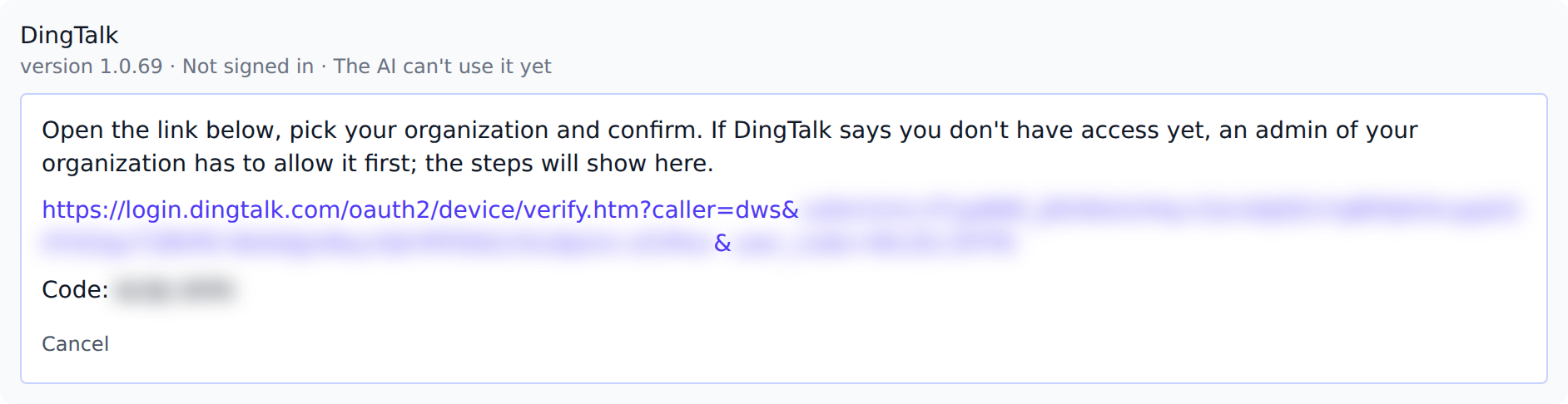
-
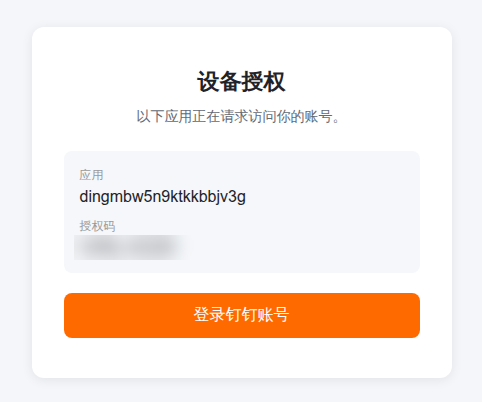
Open the link, click 登录钉钉账号 (sign in to DingTalk), sign in by scanning with DingTalk, pick your organization and confirm. The code on the page matches the one Vibe Seller shows:
-
Back in Settings, the DingTalk row shows "Signed in. Finishing the setup…", then "The AI can use it" a few seconds later. Done.
Admin: allow it in the DingTalk console
Per DingTalk's permission guide (in Chinese), its command-line program is controlled at three levels: the organization switch, the agent channel, and each permission. All three must allow it. Vibe Seller counts as 其他渠道 (Other channels), which DingTalk keeps off by default.
Ask an admin of your DingTalk organization to:
- Open the CLI设置 (CLI settings) page of the DingTalk developer console and sign in by scanning with DingTalk (in the console: 更多 (More) → 基本信息 (Basic info) → CLI设置 on the left);
- Check that the switch at the top right of DWS CLI管理 (DWS CLI management) says 已开启 (On) — it is on by default;
- Under Agent管理 (Agent management), turn on the 其他渠道 (Other channels) row;
- If that row's 生效范围 (Scope) is not 全员可用 (Everyone), click 设置 (Settings) and add the DingTalk account used to sign in;
- CLI管控配置 (CLI permissions) below lists each capability (such as 以个人身份发消息, sending messages as yourself) and who may use it; tighten it per business area if you like.
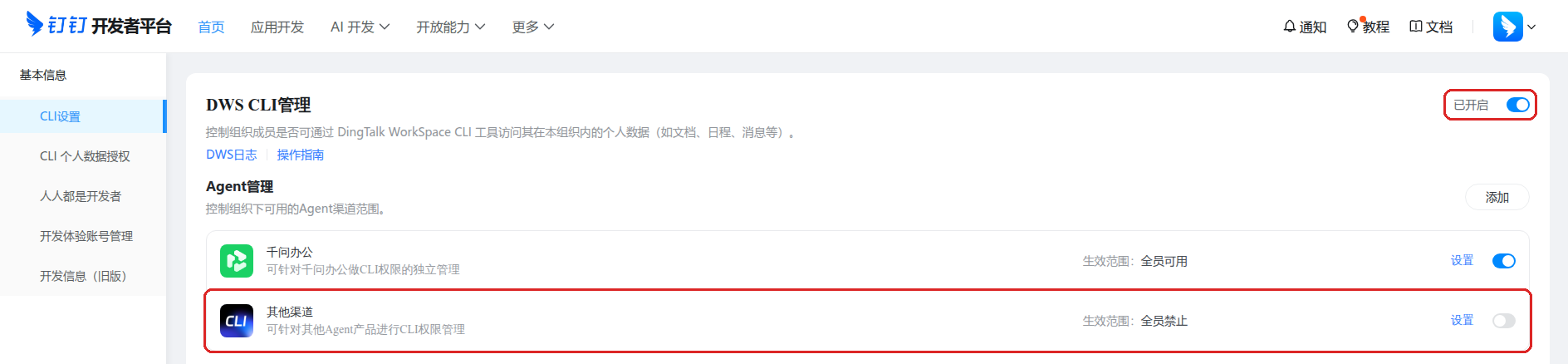
DingTalk takes a few minutes to apply it. Then click Connect on the DingTalk row in Vibe Seller again and authorize once more.
FAQ
"You do not have CLI data access" (您暂无 CLI 数据访问权限)?
Your organization hasn't allowed it yet; clicking Connect again won't fix it. The Settings page lists the organization's primary admins and the steps; ask an admin to turn on 其他渠道 as above, wait a few minutes, then click Connect.
Does 立即申请 (Apply now) on DingTalk's authorization page work?
Not by default. An admin first has to turn on member applications (组织成员权限申请) in the channel's 设置 before members can apply and admins can approve. Until then, applying says the organization doesn't accept applications. Asking an admin to follow the steps above is quicker.
Who can the AI message on DingTalk?
It sends as the account that authorized and finds people by name in your organization's contacts. People not in the contacts (for example, outside your organization) can't be messaged.
The AI says it sent the message, but I don't see it in DingTalk?
If the recipient is the account DingTalk was authorized with, the message is from you to yourself: it lands in your chat with yourself, with no notification and without moving to the top of your chat list. Search your own name in DingTalk and open the chat with yourself. For the AI to message you like a colleague would, authorize DingTalk with a dedicated work account.